

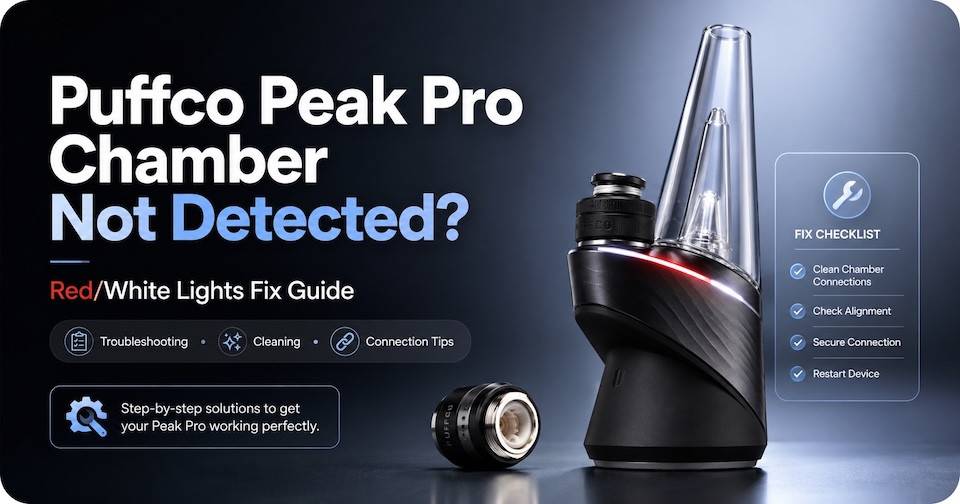
Puffco Peak Pro Chamber Not Detected? Red/White Lights Fix Guide
There is nothing worse than seeing a blinking light on your puffco peak electric dab rig right when you're in the middle of a sesh. Don't worry your peak is not broken, a blinking light can mean one of two things. Either your device needs to be charged, or you have a coil/atomizer connection issue.
First things first, you would want to assess the reason for the blinking light with a few troubleshooting steps before running to purchase a new atomizer.
- Rule Number One: Charge It
- Rule Number Two: Clean it
- Rule Number Three: Replace It
What Does the Red and White Flashing Lights on My Puffco Peak Mean?
Usually the red and white blinking light indicates an atomizer issue. Your device and your atomizer are not making a connection, this can be due to a number of reasons so it's best to check through each one before moving toward a replacement.
Okay, so, this blinking light can be present because of a loose connection, residue caked onto the pins, or access moisture in the base where the atomizer connects to.
Another reason for the blinking light could be worn out or damaged connection points, a firmware issue, or just a defective chamber. Luckily, these last three reasons are way less common than the first three reasons listed above. .
Step By Step Fixes:
Problem #1: Loose Connection - Fix: Basic Reconnection
- Remove the glass top from your puffco base, this is just to save it from breakage while you are working with your device. Remove the chamber/atomizer from your puffco base. Some are magnetic, some are threaded “screw on” atomizers. This depends on your puffco peak model!
- Check the contact points, both on the chamber AND on the base of your device. Just to make sure there isn't an obstruction in the way causing it to not screw on / magnetize correctly to the base.
- Reattach your chamber.
- Attempt a heating cycle to see if this resolves your “no connection” issue.
Images showing pins on puffco peak and peak pro
How to Clean Puffco Peak Electric Dab Rig
Problem #2: Obstruction/Dirty Connection Points - Fix: Clean Contact Points
- Remove your glass bubbler top, again just to save it from breaking while you are working with your base.
- Remove your chamber from your base.
- Dip a cotton swab in iso alcohol.
- Use the cotton swab dipped in alcohol to clean the connection points on the bottom of your chamber.
- Make sure you are cleaning the connection point on the base as well.
- Allow the bottom of your atomizer and the connection points on the base to dry completely before reattaching your atomize. Since alcohol evaporates rather quickly you should be okay to reattach it within a few minutes of air drying.
- Attempt a heating cycle to see if this resolves your no connection issue.
Photos of dirty connection points photo of clean connection points both base and atomizer

Never use water to clean the connection points of your atomizer or your base, water is not meant to make any contact with these types of devices.
Problem #3 Heavy Reside Caked onto Connection Points - Fix: Deep Clean
- Remove your glass top from your base, and then remove the chamber from the base.
- You can pour out some iso alcohol in an alcohol safe container, preferably glass.
- Place your chamber into the iso alcohol, you can completely submerge this type of atomizer in alcohol without breaking it.
- Allow the chamber or atomizer to sit inside your iso alcohol for at least 20 minutes, but it's better if you can allow it to soak for an hour.
- After an hour has passed, the caked on residue should be loose enough to remove. You can use some cotton swabs to remove whatever residue is still visible.
- Let the atomizer dry for a few hours, you want it to be completely dry before attaching it to your puffco base.
- After drying, attach it to your peak base, and attempt a heating cycle.
Photo of puffco chamber submerged in alcohol inside container
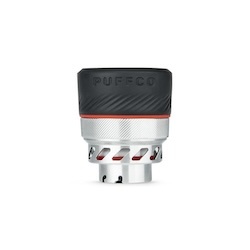
Problem #4 Firing Pins are Pushed In - Fix: Adjust the Firing Pins
This is only applicable to the old puffco peak chambers, not the newer ones.
- Remove the chamber from your puffco peak base.
- Check the bottom of the chamber and you should see three pins at the bottom.
- You can use a tweezer, a dab tool, or something small that you are able to move around the bottom of the chamber comfortably, and gently lift the pins a tiny bit.
- From there you can reattach your chamber to the peak and attempt a heating cycle.
- Diagram of pin adjustment
If all of these other troubleshooting tips do not help resolve your connection issue, you can try these two steps below.
Fix 5: Hard Reset Your Puffco Peak Device
- You need to hold the power button down for about 20 seconds and then the device should start the reset.
- Your puffco peak will flash white when the hard rest is complete.
Fix 6: Update your Puffco Peak Firmware and App
- Start by launching your puffco app on your phone
- Check if there are any firmware updates Install the update if there is one available Use the steps under “Fix 5” to reset your device.
- Attempt to run a heating cycle after the reset is complete, and the device is turned on.
When to Fix or When to Replace my Puffco Peak Chamber?
When to Replace
Puffco chambers are pretty resilient and they do not require frequent replacement. There are some pretty obvious signs to indicate that you need a replacement chamber soon, like if there is anything breaking off the chamber, if the chamber is cracked or chipped, or if all the fixes above do not fix your connection issue, then it's probably time to replace it.
A puffco peak chamber can last you 6 months or more, even a year as long as you are properly maintaining it.
When to Fix
You can attempt all the fixes listed above if you see that your atomizer is working intermittently, or if the connection issues started after cleaning, dropping your atomizer. The connection issue could be caused by a small hiccup, like not allowing your atomizer to fully dry after cleaning it!
Puffco Warranty Check
Most puffco items come with a manufacturer's warranty, make sure to keep your receipt and any serial numbers located on the box or on the device. In order to file a warranty claim, you would need these two bits of information.
Replacement Chamber Options for the Puffco Peak
Puffco Peak OG Chamber (Original Peak)
- Price: $74.99 at e-nail.com
- Best for: Original Peak owners, budget replacements
- Features: Thermal-banger style, ceramic bowl, no coils/glue/plastics
- Link: Buy OG Peak Chamber
New Puffco Peak 3D Chamber
- Price: $59.99 at e-nail.com
- Best for: New Peak owners, simple 3D heating without apps
- Features: 3D heating (sides + bottom), heat sensing, faster heat-up
- Link: Buy New Peak 3D Chamber
Puffco Peak Pro 3D Chamber
- Price: $59.99 at e-nail.com
- Best for: Daily users, flavor chasers
- Features: 3D heating, real-time temperature control, app connectivity
- Link: Buy 3D Chamber
Puffco Peak Pro 3DXL Chamber
- Price: $99.99 at e-nail.com
- Best for: Heavy users, big dabs, group sessions
- Features: 78% larger bowl, 2x more vapor, XL mode in app
- Link: Buy 3DXL Chamber
Aftermarket Options
- Pros: Lower cost
- Cons: May not have warranty, quality varies
- Recommendation: Stick with authentic Puffco for reliability
Preventing Future Connection Issues
To prevent any connection issues with your puffco peak or peak pro make sure you are keeping up with atomizer maintenance. Keep your atomizer clean, use a cotton swab dipped in alcohol to clean out the inside of your atomizer after each session. Also, do not forget to deep clean your atomizer weekly, this might have to be done every couple of days if you are a heavy user.
Do not over tighten your chamber, this is applicable to the older peak and the new peak and not the peak pro. Screwing your atomizer on too tight pushes the firing pin into the chamber which causes it to lose connection with the base.
Make sure you are not flooding your atomizer, flooding will lead to excess dab and residue built up on the connection points, on the base and the bottom of the chamber.
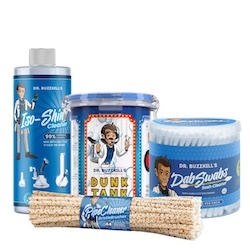
Recommended Cleaning Kits
Recent Posts
-
Titanium Dab Nail Turning Colors? Oxidation, Seasoning & Maintenance Explained
Why Does Titanium Change After You Heat It? Titanium naturally changes color overtime because it rea … -
How to Adjust an E-Nail Coil for a Better Banger or Dab Nail Fit
A quartz enail banger will sometimes have a slight sizing difference from your enail coil. It's usua … -
Puffco vs. E-Nail: Why Some Dabbers Are Switching Back to E-Nails
Puffco is most famous for their electric dab rig the peak and the peak pro, an electronic dabbing de …