

Dab Pen Light Colors: What Each Color Means & How to Fix
Almost all dabbing devices have some sort of led light indicator that either tells you which temperature setting you're on, battery life, connection issues, and more. The led light can glow steady, or it can blink a certain amount of times to communicate your device's status.
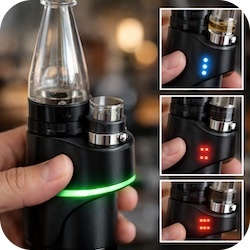
Most brands will use a specific set of colors across all their devices, this can sometimes vary with the addition of a color in the event that your device has an extra temp setting or an extra feature. Once you get the hang of using your device the led light indicators will be understood naturally. Just in case you find yourself in a bit of a bind, here is a breakdown of the basics!
Why Dab Pens Use LED Light Indicators
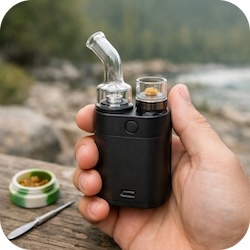
Some dabbing devices are designed to be super portable, which means they're way smaller in size so that they're easier to travel with. Their smaller size makes it difficult to integrate a digital display to give you the necessary insight to what's going on with your device. For the most part, smaller devices will not have precise temperature control or any super technical features, so the display screen isn’t really needed.
What Do Dabbing Device LED Light Colors Mean?
As previously mentioned, the led colors will vary based on the manufacturer but most of them are common sense.
Green Light
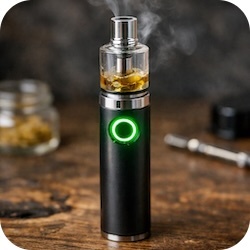
- A green light on your device usually means that your battery is fully charged. It can sometimes mean that you are on the lowest temperature setting or that your device is pre heated and ready to use!
Blue Light
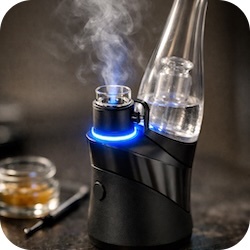
- A blue light can mean that your device is operating on its middle temperature setting. Or possibly it can indicate an initiated heating cycle, some dabbing devices automatically show a blue or green light to show that it's powered on.
Red Light
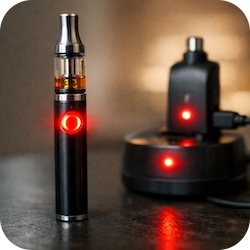
- As I'm sure you probably guessed, a red light usually lets you know that your battery is low or your device is set to the highest temperature possible. A red light appearing when your device is on the charger means it is charging and the battery is still depleted.
White Light
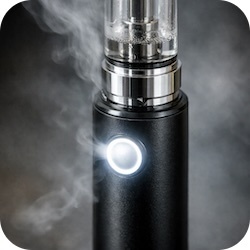
- On some devices you can see a white light thrown into the mix, this can indicate that your device is heating up, or that its auto draw function is activated.
Purple Light

- If your device goes beyond the red light and has an additional temperature setting, it's usually a purple light. The purple setting is usually the highest temperature setting or the highest voltage available on the device.
Why Is My Dab Pen Blinking?
This is when things start to get a little more complicated when it comes to your led light indicators. A key thing to pay attention to is how many times your led light is blinking and what color it's blinking. Your device can blink anywhere from 2-10 times; it really just depends on the brand.
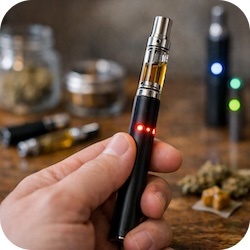
If your device is blinking red this usually just means the battery is dead and it needs to be charged. It can blink 5 times indicating low battery or a dead battery. An atomizer or coil connection issue will usually show a white light or a yellow light. It can blink 3-10 times depending on the manufacturer, the standard is usually 3 times. Overheating issues will also prompt your device to blink a number of times, also around 3-10 times letting you know your device is too hot and it needs to cool before using it.
When we say blinking, we mean short fast blinks not a steady slow flashing light.
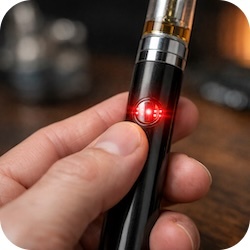
Slow flashes usually occur when your device is pre-heating, the glowing light will illuminate slowly not in short bursts. This happens at a steady pace for about 15-30 seconds. If you see your device slow flash once or twice, this usually means you changed its temperature setting.
Common Vape Pen Error Light Patters
Blinking 3 Times
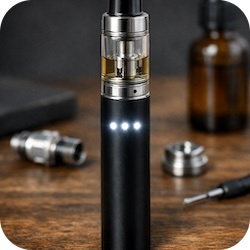
- This usually means there is some sort of connection issue with your atomizer or coil. You can check your device or check the coil to see if there is an apparent issue that can easily be fixed, and go from there.
Blinking 5 Times
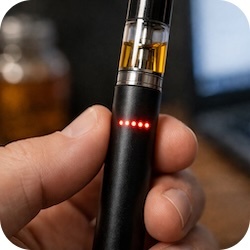
- If your device is blinking five times, this usually tells you that the battery is dead, the color of the light present is super important. Your device might blink five times once it's powering on or while it's powering off.
Blinking 10 Times
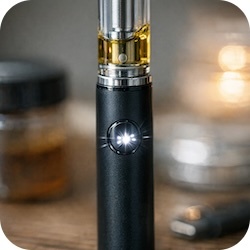
- While your device is powered on, you click on the power button to dab, and you see 10 flashes. This will usually mean that there's some sort of connection issue happening. This can also possibly indicate an overheating issue as well.
How To Fix Dab Pen Light Problems
There are a number of reasons why your dab pen/dabbing device could be blinking. It's usually best to check the user manual to find out exactly why.. but who reads those things anyway.
- If you're looking for Quick Fixes for Dab Pens you can Click here to Read more.
These blogs and FAQ pages listed below also list out common dabbing device problems and how to fix them:
- Why is My Electric Nectar Collector Clogged?
- How to Fix My Electric Nectar Collector or Electric Dab Rig
- Lookah Seahorse Pro FAQ
- Lookah Unicorn Mini FAQ
- Lookah Dragon Egg FAQ
Do all Dabbing Devices Use the Same Colors?
Not all dabbing devices use the same colors to indicate the same issues, the amount of times your device blinks or the colors that are illuminated will vary by brand and manufacturer. This guide is more of the universal understanding of the basics on led light indicators but again, it's always best to check your user manual.
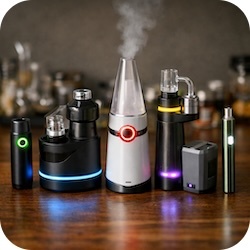
If you are having trouble finding your user manual, you can contact us via our live chat. We can find this information for you!
Tips for Using Dab Pens Safely
Don’t Overcharge the Battery
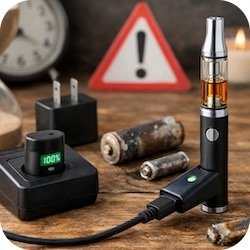
- All rechargeable batteries have a limited amount of times they can be charged before they completely die and never work again. Overcharging a battery slowly depletes it over time, ultimately decreasing your battery lifespan.
Avoid Overtightening
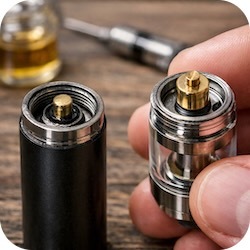
- A coil or atomizer that's screwed on too tight will cause a connection issue, there needs to be a comfortable connection between both firing pins to work correctly. Over tightening can damage the firing pins or cause the atomizer or coil to get stuck.
Keep Battery and Contact Points Clean
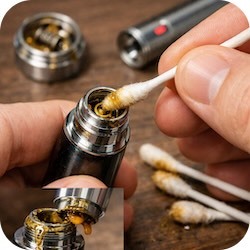
- Dirty connection points will almost always cause some sort of connection issue. Besides a short circuit error, your dab shouldn't be getting into sensitive areas below the atomizer or onto the battery. This can leak into your battery over time and harden, your battery will ultimately stop working from this.
Recent Posts
-

How Many Hits on a Dab Pen Equal a Joint? DAB PEN VS JOINT
This question is so common amongst people that first make the switch from flower to wax. Since wax i … -

10 Best Cannabis Strains for Anxiety | THC and Anxiety
Can Cannabis Help with Anxiety? People use cannabis for a variety of different things, recreationall … -
Dab Pen Light Colors: What Each Color Means & How to Fix
Almost all dabbing devices have some sort of led light indicator that either tells you which tempera …